The code is all the same, here’s a video as there isn’t much to be said:
The code is all the same, here’s a video as there isn’t much to be said:
First off, here’s a video:
If you’re a long time follower of the blog, than you may notice that it looks like I’m backtracking here. Let me go over the differences between the two systems I’ve developed.
The one I “finished” a few months ago can be found here. While the code is “good” and it works well for what it does, there are a few inherent problems with it. The first being that it has to have a computer to be used. The second being that the computer running the intermediate program has to be extremely fast, so it’s not totally feasible for field use. It would also be very hard for it to go wireless, but I had built that groundwork in so it could happen.
The one I’m working on now doesn’t require a computer as an intermediate, and is going to be totally wireless as from the start.
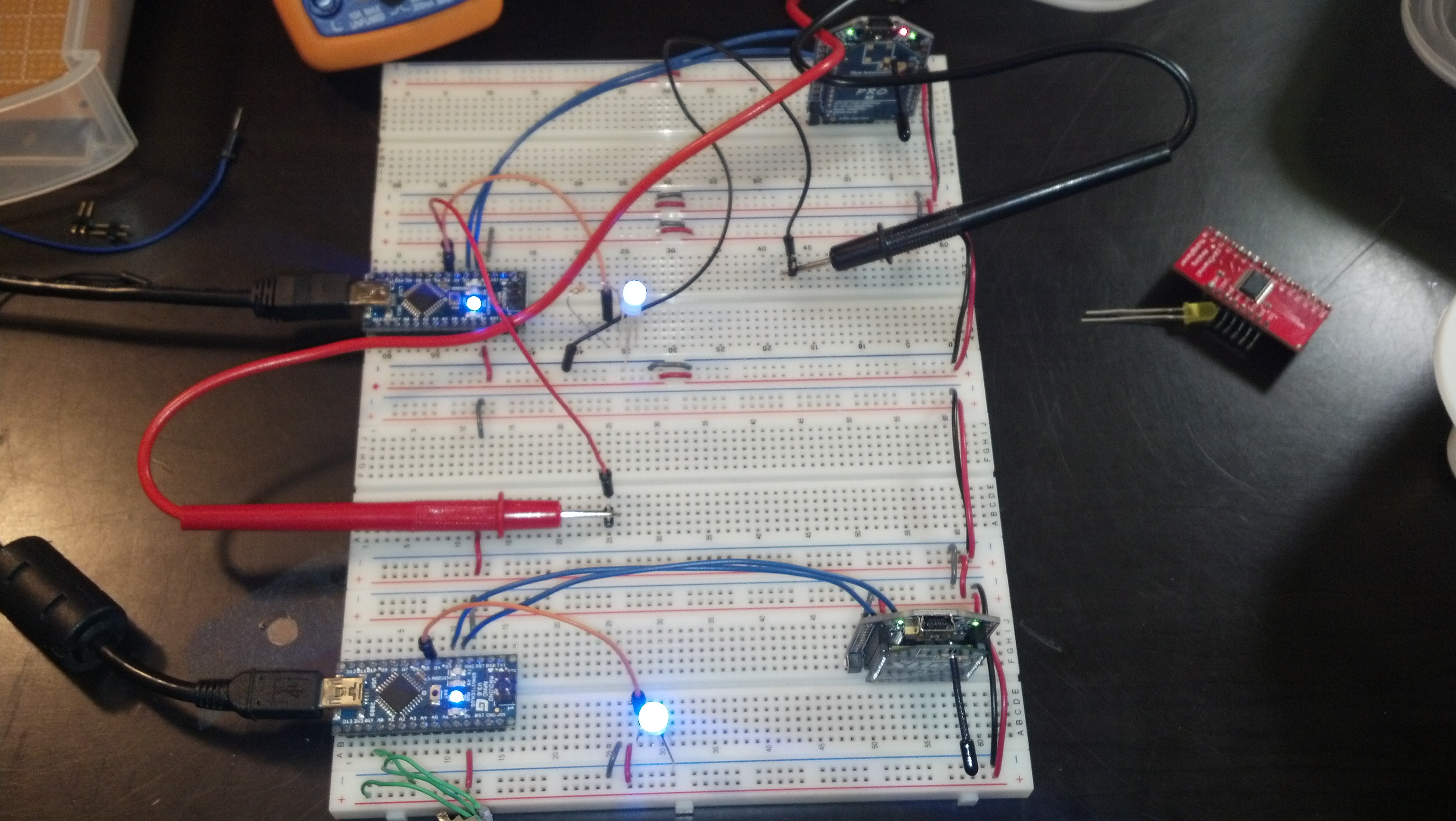
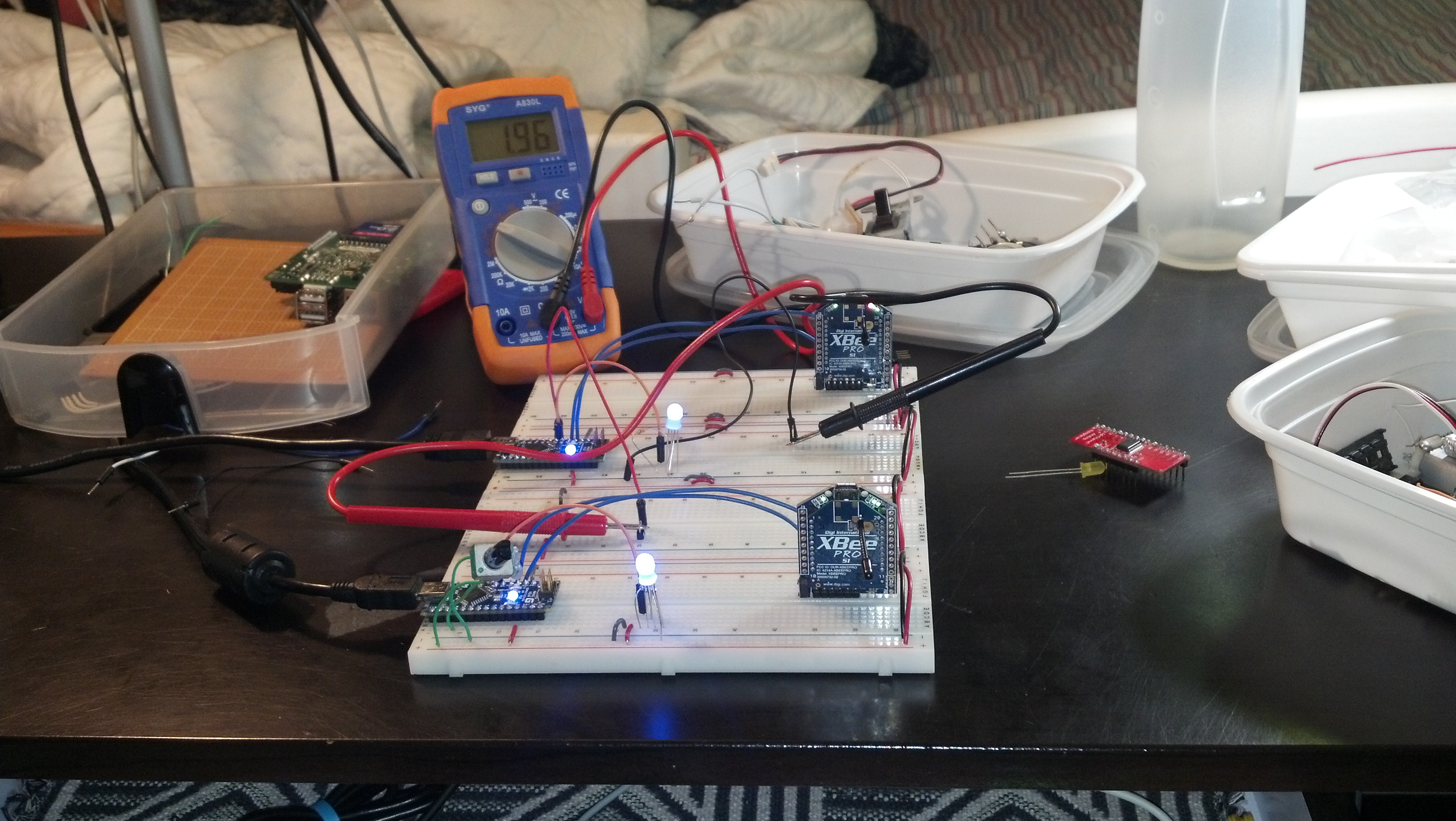
This morning I finished the handshake data exchange over xbee. Right now it’s just dimming a few LED’s but if you take a peek at the following code, it’s very expandable.
Here’s the working code:
#include <SoftwareSerial.h>
SoftwareSerial xbee_serial(2, 3);
#include <string.h> // we'll need this for subString
#define MAX_STRING_LEN 20 // like 3 lines above, change as needed.

int in_LED = 10;
int out_LED = 11;

int input = 2;

int sendval;


//serial stuff
const char EOPmarker = '.';  //This is the end of packet marker
char serialbuf[32]; //This gives the incoming serial some room. Change it if you want a longer incoming.

void setup(){
  pinMode(in_LED, OUTPUT);
  pinMode(out_LED, OUTPUT);
  pinMode(input, INPUT);

  Serial.begin(9600);
  xbee_serial.begin(9600);

  xbee_serial.print("0,0,0."); // this is very important as it starts of the loop because it makes "xbee_serial.avalible() > 0.
}

void loop(){
  if (xbee_serial.available() > 0) {
    static int bufpos = 0;
    char inchar = xbee_serial.read();
      if (inchar != EOPmarker) {
        serialbuf[bufpos] = inchar;
        bufpos++;
      }
      else {
        serialbuf[bufpos] = 0; //restart the buff
        bufpos = 0; //restart the position of the buff

        Serial.println(atoi(subStr(serialbuf, "," , 1)));
        analogWrite(in_LED, atoi(subStr(serialbuf, "," , 1)));

         sendval = map(analogRead(input), 0, 1023, 0, 255);
         xbee_serial.print(sendval); // Value that it sends over the serial
         xbee_serial.print(",");
         xbee_serial.print("100"); //This second byte is for the purpose of the program, it is not being used.
         xbee_serial.print("."); //EOP marker
         analogWrite(out_LED , sendval);

    }
  }

  //delay(10);
}

char* subStr (char* input_string, char *separator, int segment_number) {
 char *act, *sub, *ptr;
 static char copy[MAX_STRING_LEN];
 int i;

 strcpy(copy, input_string);

for (i = 1, act = copy; i <= segment_number; i++, act = NULL) {

 sub = strtok_r(act, separator, &ptr);
 if (sub == NULL) break;
 }
 return sub;
}
This works so I want to write it down:
#include <SoftwareSerial.h>
SoftwareSerial xbee_serial(2, 3);
#include <string.h> // we'll need this for subString
#define MAX_STRING_LEN 20 // like 3 lines above, change as needed.

int in_LED = 10;
int out_LED = 11;

int input = 2;

int sendval;


//serial stuff
const char EOPmarker = '.';  //This is the end of packet marker
char serialbuf[32]; //This gives the incoming serial some room. Change it if you want a longer incoming.

void setup(){
  pinMode(in_LED, OUTPUT);
  pinMode(out_LED, OUTPUT);
  pinMode(input, INPUT);

  Serial.begin(9600);
  xbee_serial.begin(9600);

  xbee_serial.print("0,0,0.");
}

void loop(){
  if (xbee_serial.available() > 0) {
    static int bufpos = 0;
    char inchar = xbee_serial.read();
      if (inchar != EOPmarker) {
        serialbuf[bufpos] = inchar;
        bufpos++;
      }
      else {
        serialbuf[bufpos] = 0; //restart the buff
        bufpos = 0; //restart the position of the buff

        Serial.println(atoi(subStr(serialbuf, "," , 1)));
        analogWrite(in_LED, atoi(subStr(serialbuf, "," , 1)));

         sendval = map(analogRead(input), 0, 1023, 0, 255);
         xbee_serial.print(sendval); // Value that it sends over the serial
         xbee_serial.print(",");
         xbee_serial.print("100"); //This second byte is for the purpose of the program, it is not being used.
         xbee_serial.print("."); //EOP marker
         analogWrite(out_LED , sendval);

    }
  }

  delay(10);
}

char* subStr (char* input_string, char *separator, int segment_number) {
 char *act, *sub, *ptr;
 static char copy[MAX_STRING_LEN];
 int i;

 strcpy(copy, input_string);

for (i = 1, act = copy; i <= segment_number; i++, act = NULL) {

 sub = strtok_r(act, separator, &ptr);
 if (sub == NULL) break;
 }
 return sub;
}

I made some progress today, here’s a video:
</div>
<div>

#include <SoftwareSerial.h>
SoftwareSerial xbee_serial(2, 3);

int pot_1 = 0;
int LED_1 = 5; //this will serve as an LED to compare to
int sendval;

void setup(){
 pinMode(pot_1, INPUT);
 pinMode(LED_1, OUTPUT);
 Serial.begin(9600);
 xbee_serial.begin(9600);
}

void loop(){
 Serial.println(analogRead(pot_1));
 sendval = map(analogRead(pot_1), 0, 1023, 0, 255);
 xbee_serial.print(sendval); // Value that it sends over the serial
 xbee_serial.print(",");
 xbee_serial.print("100"); //This second byte is for the purpose of the program, it is not being used.
 xbee_serial.print("."); //EOP marker
 analogWrite(LED_1,sendval);
 //delay(100);
}
</div>
<div>

#include <SoftwareSerial.h>
SoftwareSerial xbee_serial(2, 3);
#include <string.h> // we'll need this for subString
#define MAX_STRING_LEN 20 // like 3 lines above, change as needed.

int LED_1 = 5;

int led_val;

//serial stuff
const char EOPmarker = '.'; //This is the end of packet marker
char serialbuf[32]; //This gives the incoming serial some room. Change it if you want a longer incoming.

void setup(){
 pinMode(LED_1, OUTPUT);
 Serial.begin(9600);
 xbee_serial.begin(9600);
}

void loop(){
 if (xbee_serial.available() > 0) {
 static int bufpos = 0;
 char inchar = xbee_serial.read();
 if (inchar != EOPmarker) {
 serialbuf[bufpos] = inchar;
 bufpos++;
 }
 else {
 serialbuf[bufpos] = 0; //restart the buff
 bufpos = 0; //restart the position of the buff

Serial.println(atoi(subStr(serialbuf, "," , 1)));
 analogWrite(LED_1, atoi(subStr(serialbuf, "," , 1)));
 }
 }
}

char* subStr (char* input_string, char *separator, int segment_number) {
 char *act, *sub, *ptr;
 static char copy[MAX_STRING_LEN];
 int i;

 strcpy(copy, input_string);

for (i = 1, act = copy; i <= segment_number; i++, act = NULL) {

 sub = strtok_r(act, separator, &ptr);
 if (sub == NULL) break;
 }
 return sub;

}
So the first round of parts have come in for the plane, including the Xbees and the UartSBee V4s. My life is going to be very scattered over the next 4 or 5 months, so I’m going to be making frequent rudimentary posts for my own benefit.
Here’s a video:
First thing’s first I want to outline how everything’s connected.
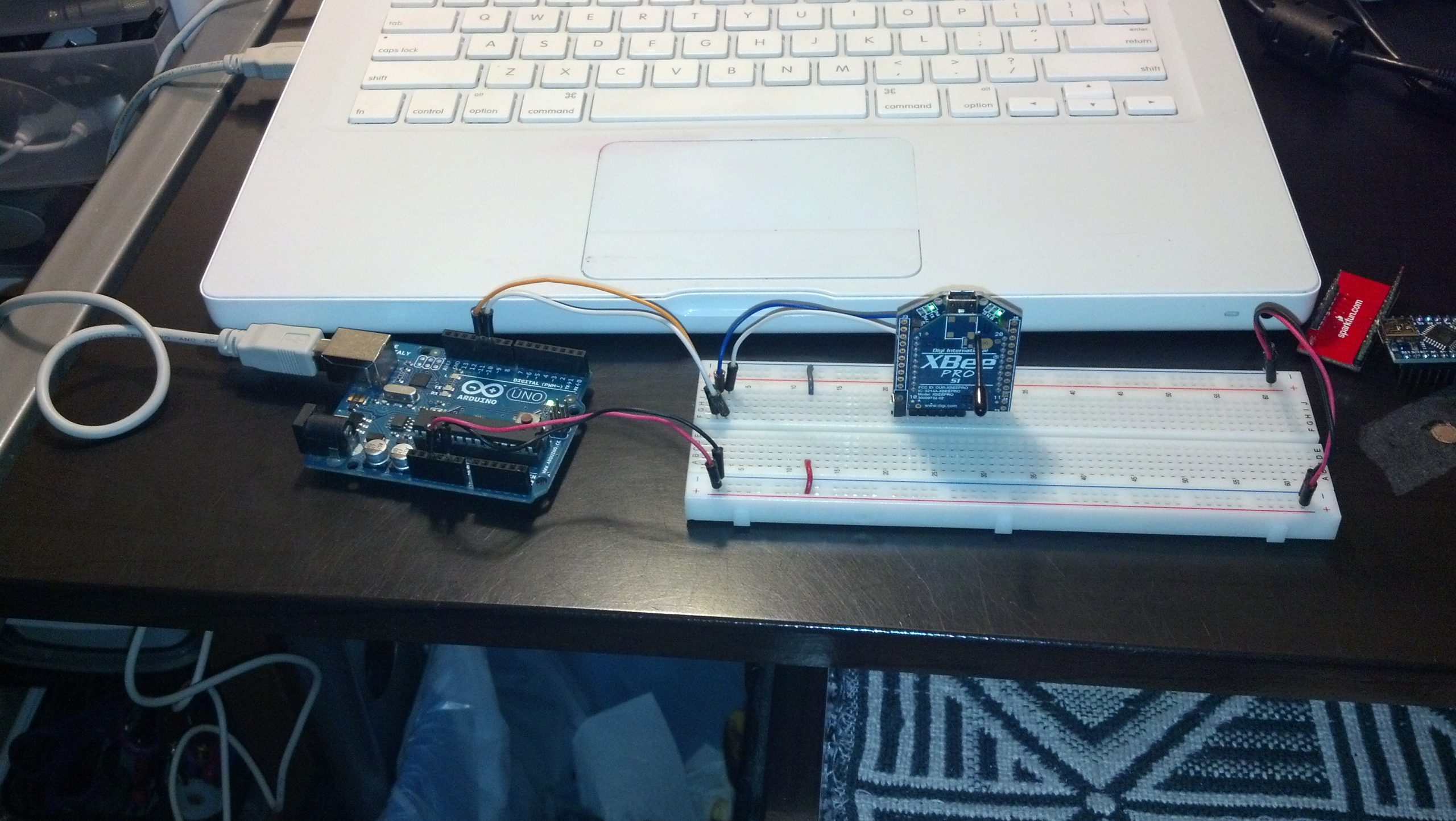
The first xbee is connected to the first UartSBee which is connected to an Ardunio Uno which is connected to the first computer which has the console open and is looking at the serial stream at 9600 baud. The xbee is connected to the uno via Software Serial which is detailed in the code below. Here’s a picture:
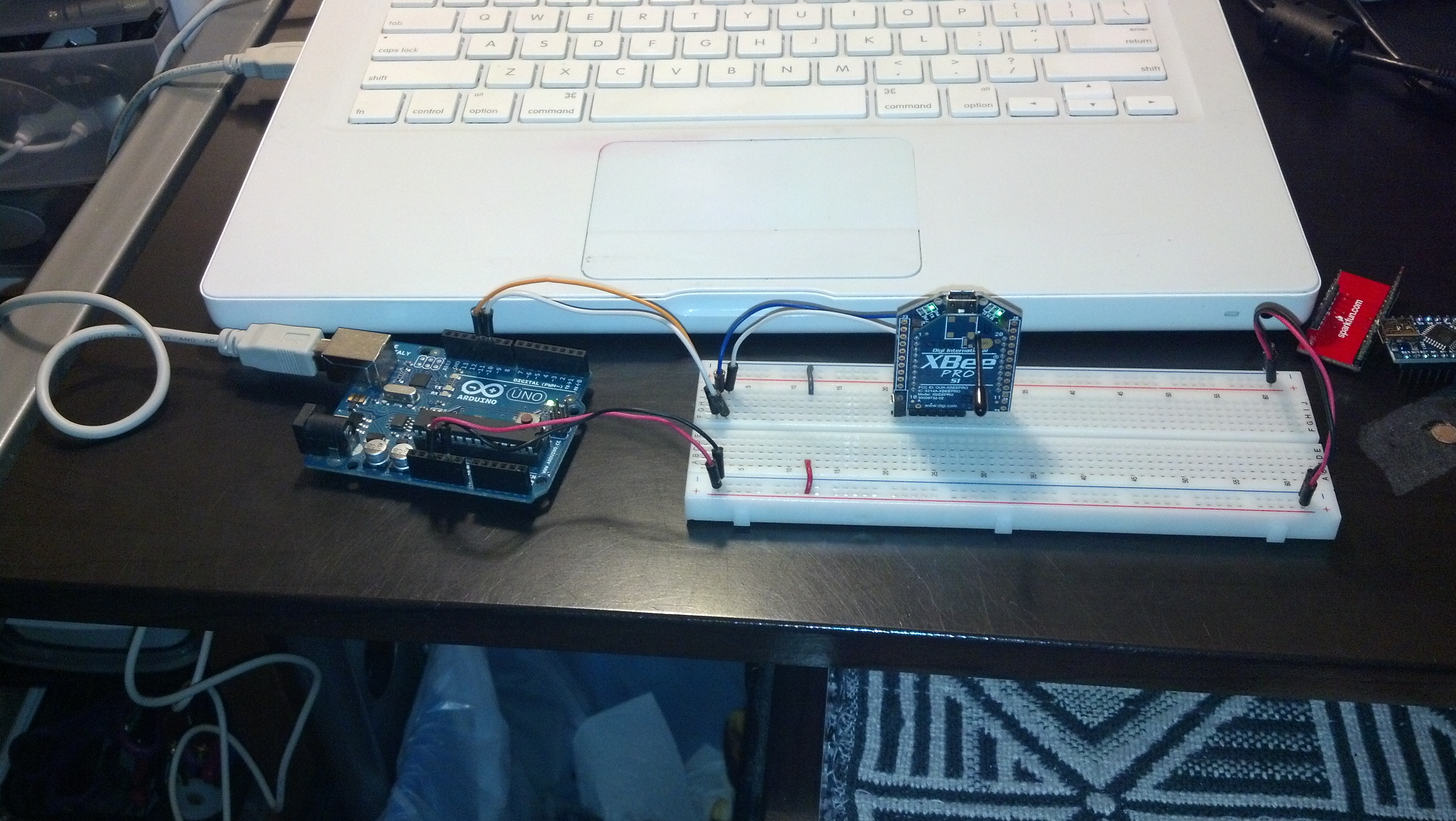
The second setup is identical, except i’m using an Ardunio nano.
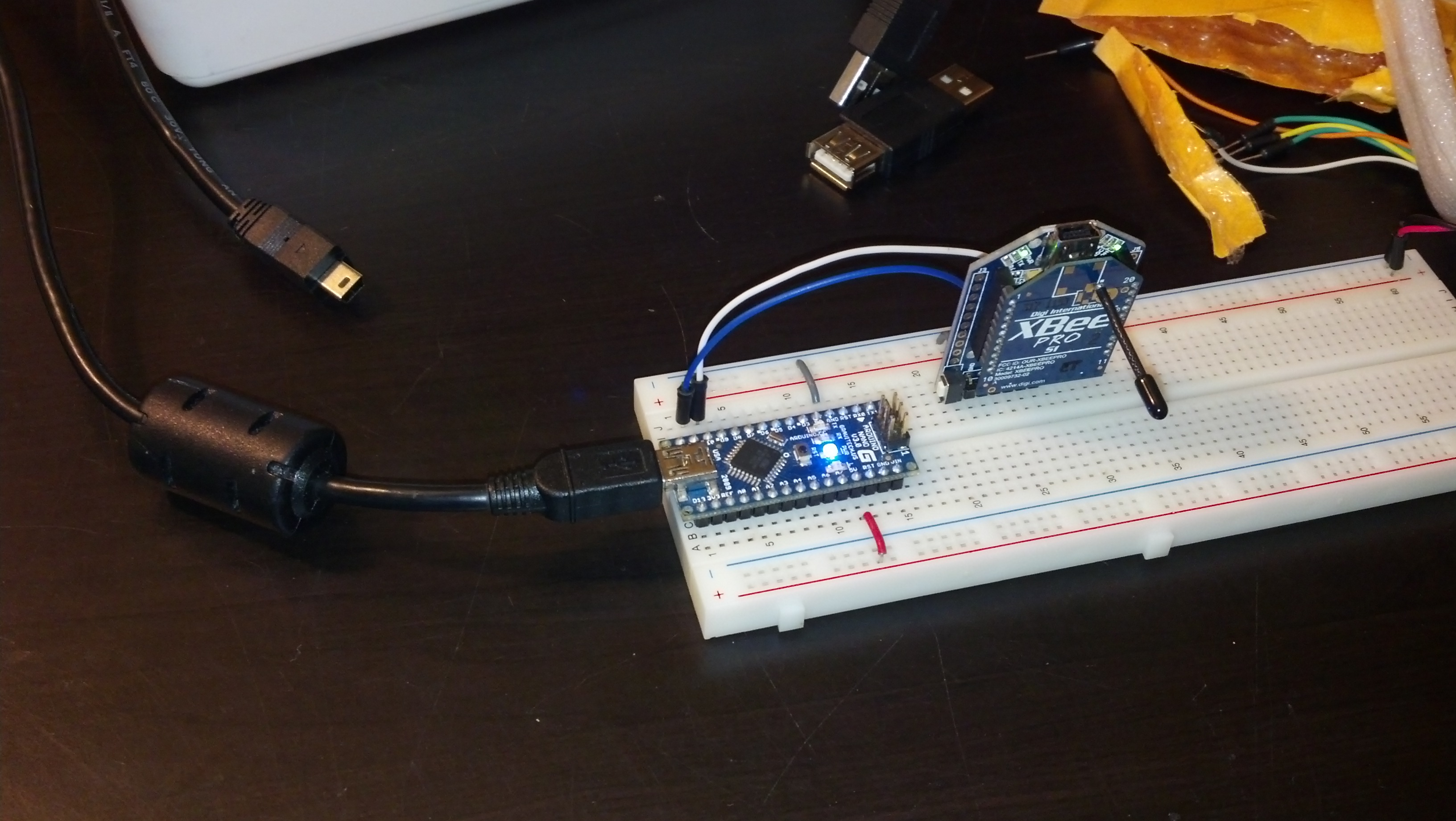
Here’s the code, I’m using the SoftwareSerial library to accomplish this. Both Arduinos are running the same thing.
</p>
#include <SoftwareSerial.h>

SoftwareSerial mySerial(10, 11); // RX, TX

void setup()
{
 // Open serial communications and wait for port to open:
 Serial.begin(9600);
 while (!Serial) {
 ; // wait for serial port to connect. Needed for Leonardo only
 }
 Serial.println("Goodnight moon!");

// set the data rate for the SoftwareSerial port
 mySerial.begin(9600);
 mySerial.println("Hello, world?");
}

void loop() // run over and over
{
 if (mySerial.available())
 Serial.write(mySerial.read());
 if (Serial.available())
 mySerial.write(Serial.read());
}
<p style="text-align: left;">
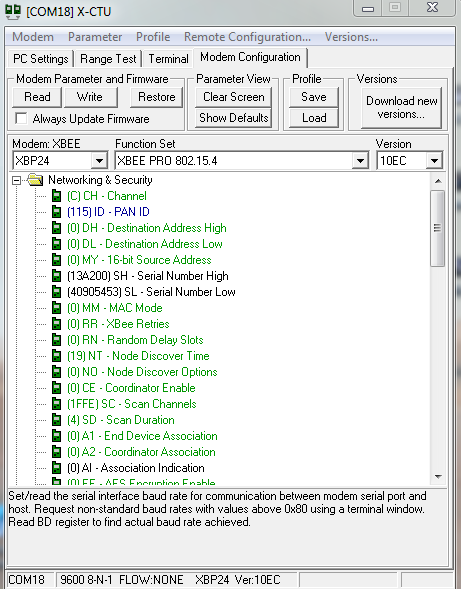
Here are a few pictures of the X-TCU setup. The baud is at 9600 and the pan ID is 115. The UartSbee itself is running at 115200 baud connected to the computer.

Thanks for reading!